cadrelia
Cadrelia (test version)
This is an early test version, shared to collect feedback. Things may change, break or disappear between versions. Please don’t rely on it yet, and tell me what you find.
Cadrelia hangs the art in your crypto wallets on your Mac’s desktop. Generative pieces run live, the way their artist intended, and switch to a still image when the battery needs it. It reads your wallets without connecting to them: no signature and no private key.
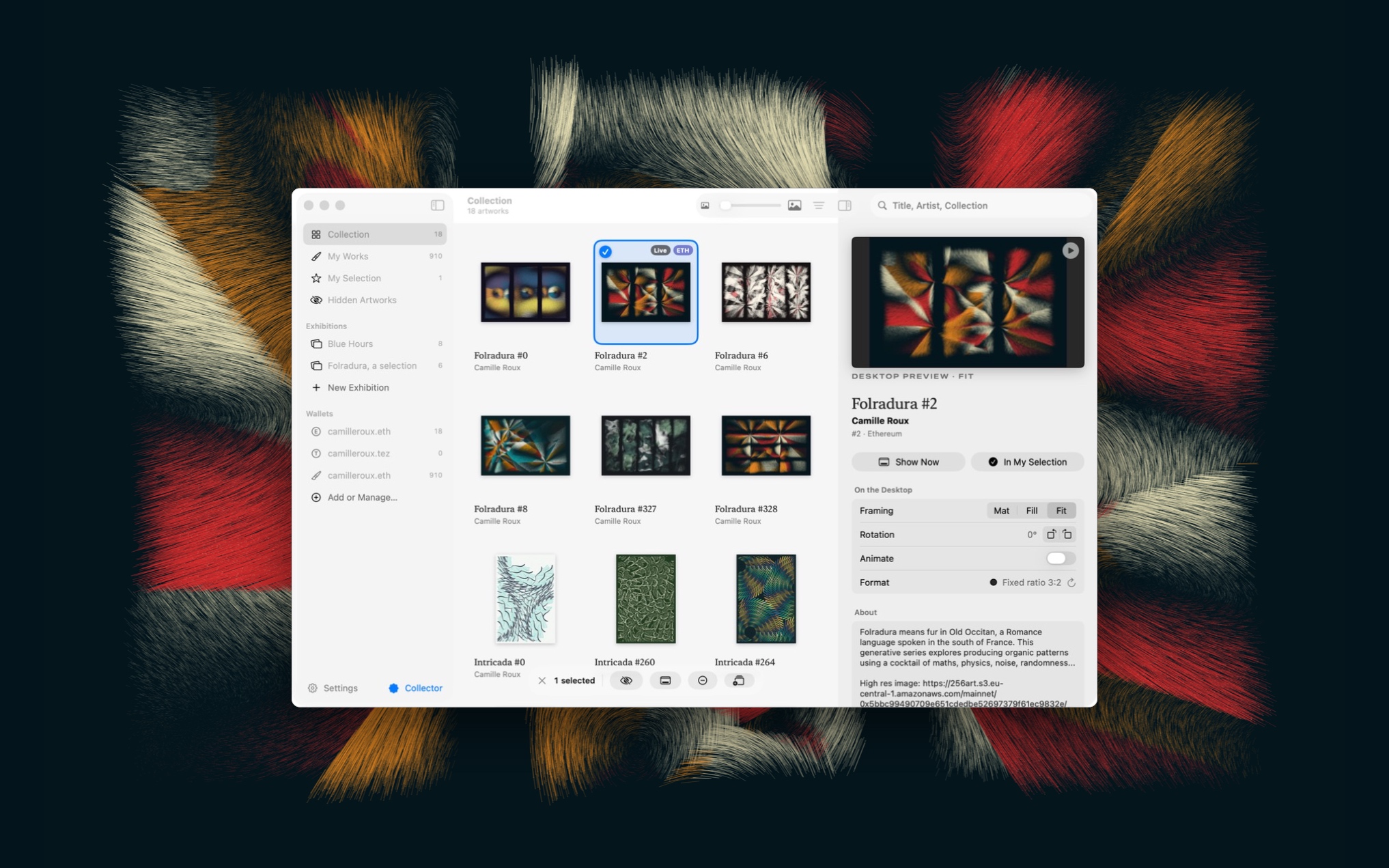 The Library over the desktop, with Folradura #2 selected and shown whole (Fit) as the wallpaper.
It works with Ethereum (with Base, Optimism, Arbitrum and Polygon), Tezos and Bitcoin Ordinals. It needs macOS 14 Sonoma or later.
Download
Download Cadrelia (latest test version)
- Open the zip and move Cadrelia to your Applications folder.
- Open it. Since this test version isn’t signed by Apple yet, macOS blocks it the first time.
- Go to System Settings › Privacy & Security, scroll down to the message about Cadrelia, and click Open Anyway. You only do this once.
- Add a wallet address or name (
name.eth,name.tez,0x…,tz…,bc1…), or try the example collection.
Updates arrive in the app itself: Check for Updates… in the menu bar.
Feedback
Everything helps: bugs, confusing bits, ideas, artworks that don’t display well.
- In the app: Send Feedback… in the menu bar. It opens an issue here, with technical details (versions, counts, settings, recent errors) already filled in. They contain no wallet address.
- Or open an issue directly.
Issues are public: don’t paste a wallet address you’d rather keep private.
Privacy
Cadrelia only reads public blockchain data, through public indexers (objkt, TzKT, OpenSea, Blockscout, an Ordinals server). Your library stays on your Mac. No account, no analytics, no tracking.
Collector features
Collectors of my major series (ARTERIA, The Source, Résilience, Folradura, Intricada, The Destination) get a few extras: exhibitions, frames and label styles. The Collector page in the app explains how they work.
Made by Camille Roux. The source code isn’t public. All rights reserved.